Product
What's in Legal Workflows
One workspace for the day-to-day work of a legal practice. This page sets out what the product does today and what is still being built. Anything marked Coming soon is not available yet.
Matters and clients
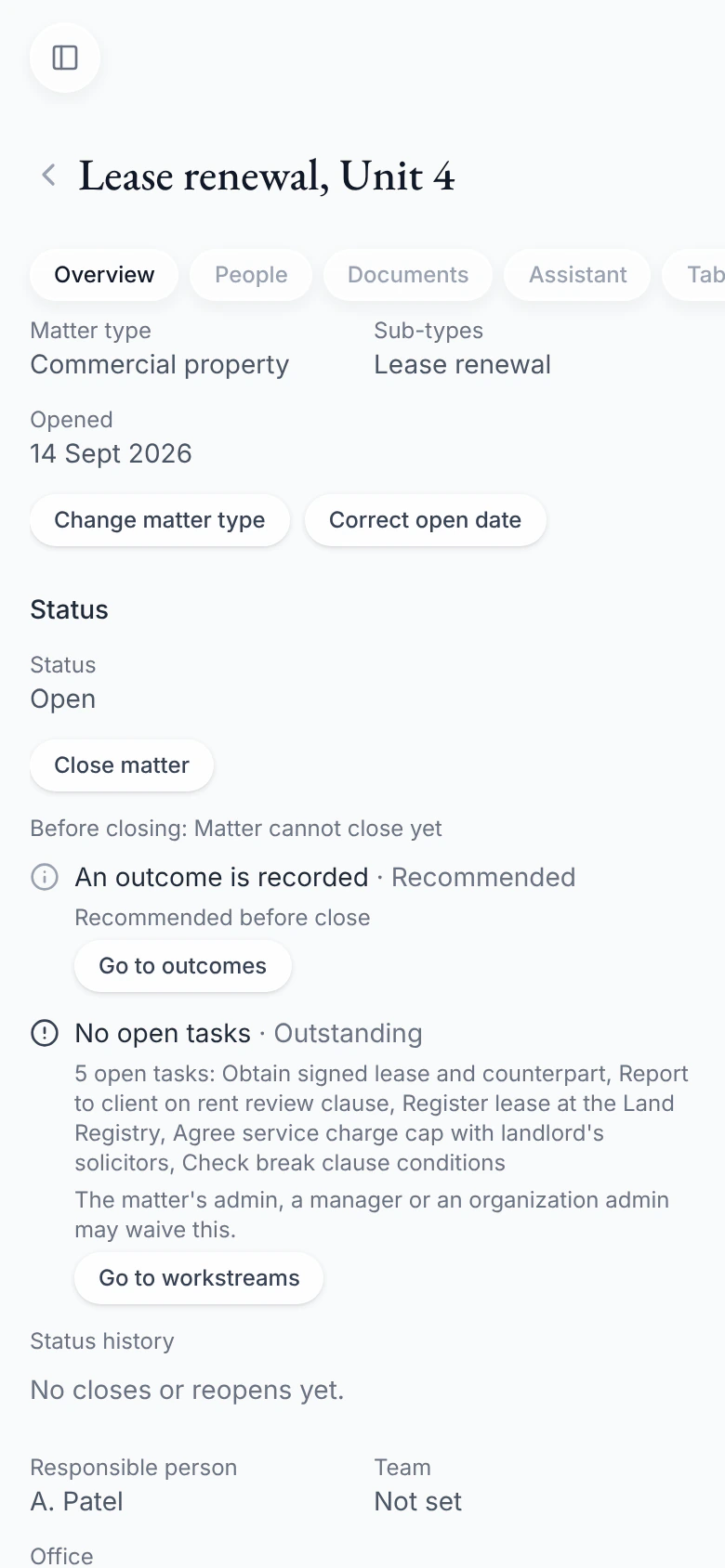
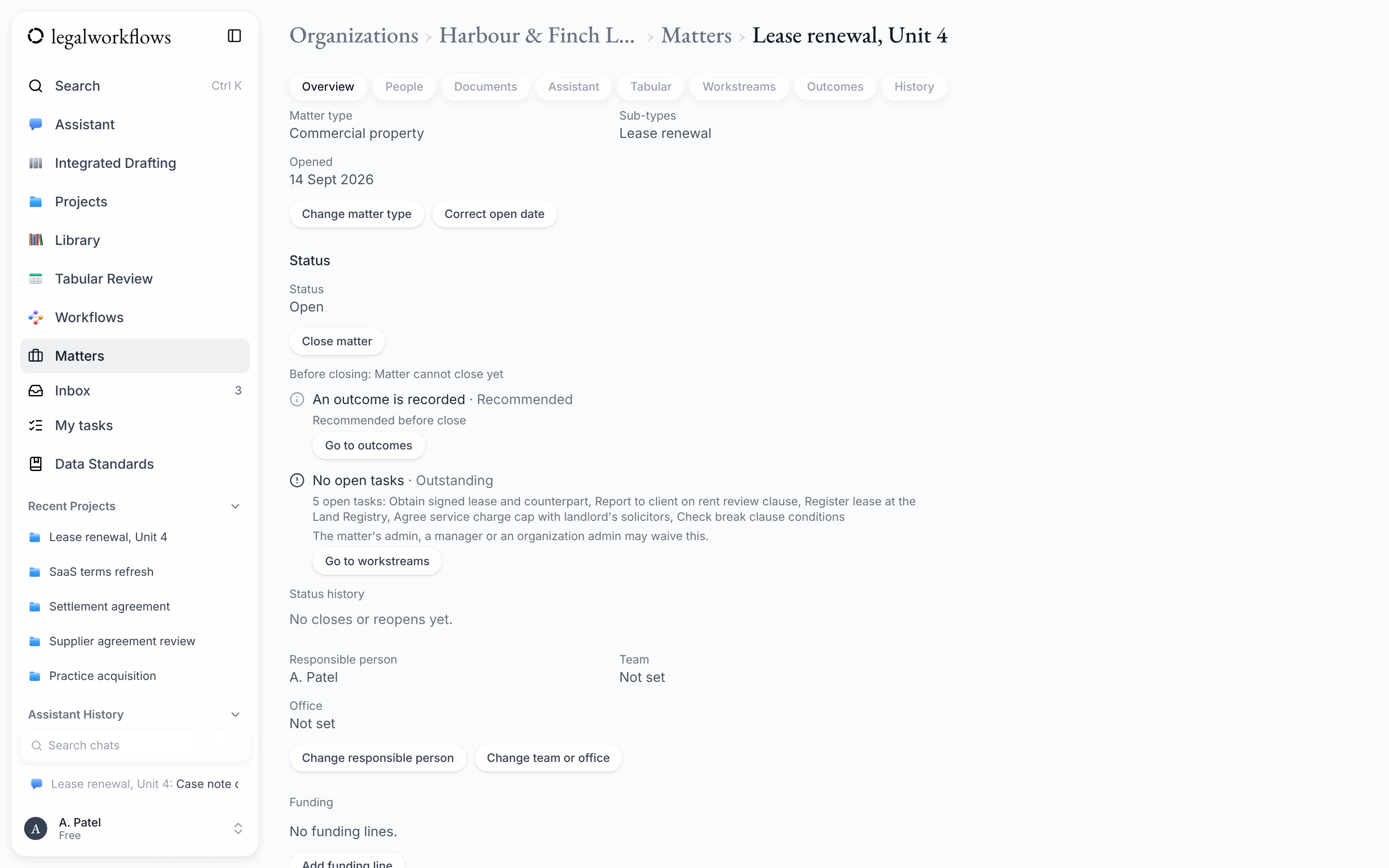
Each matter is the home for its work: who is on it, what needs doing, and the documents and notes behind it.
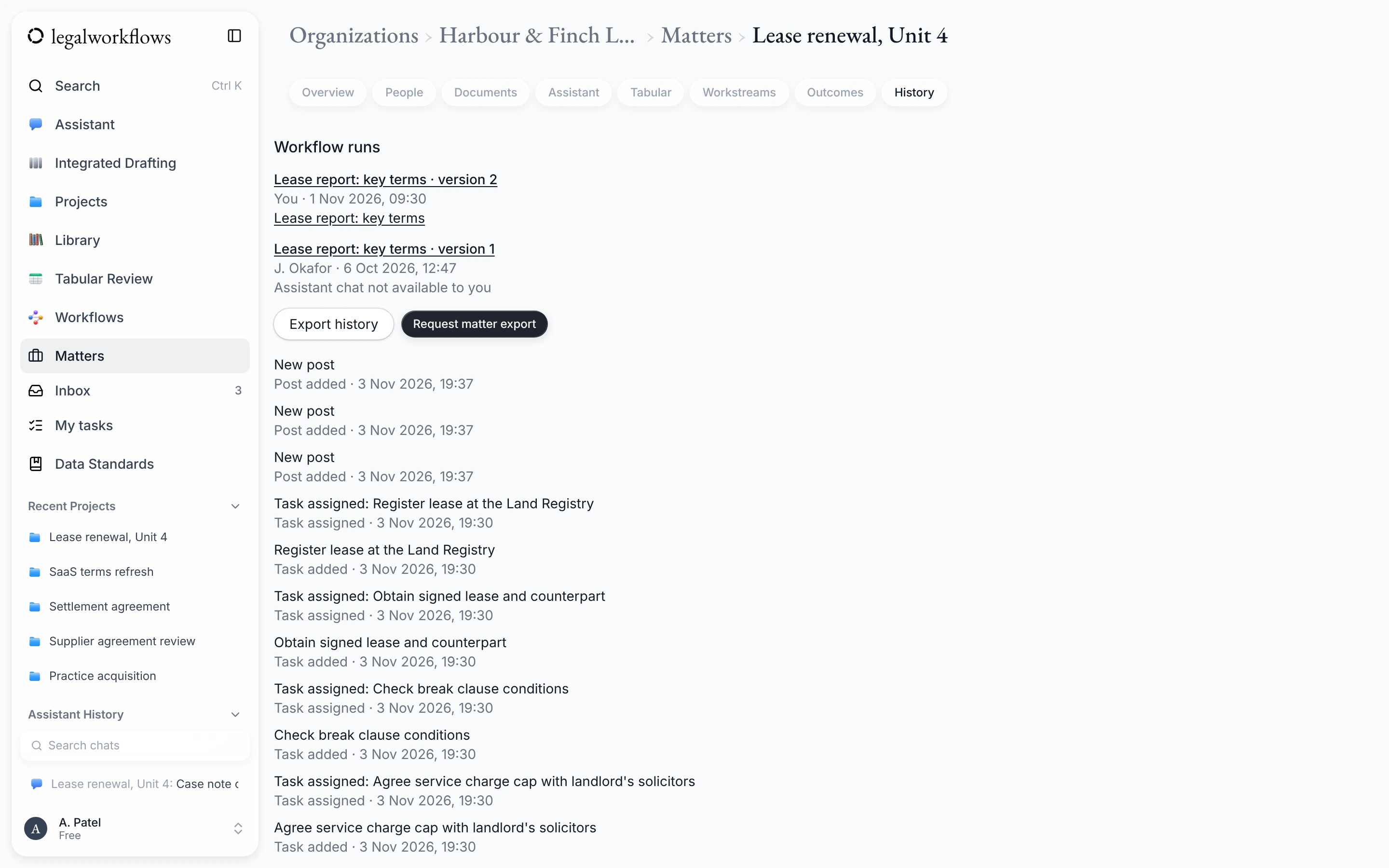
- A matters list you can search, filter and sort. Tick several matters and apply one action to each, such as adding the same note.
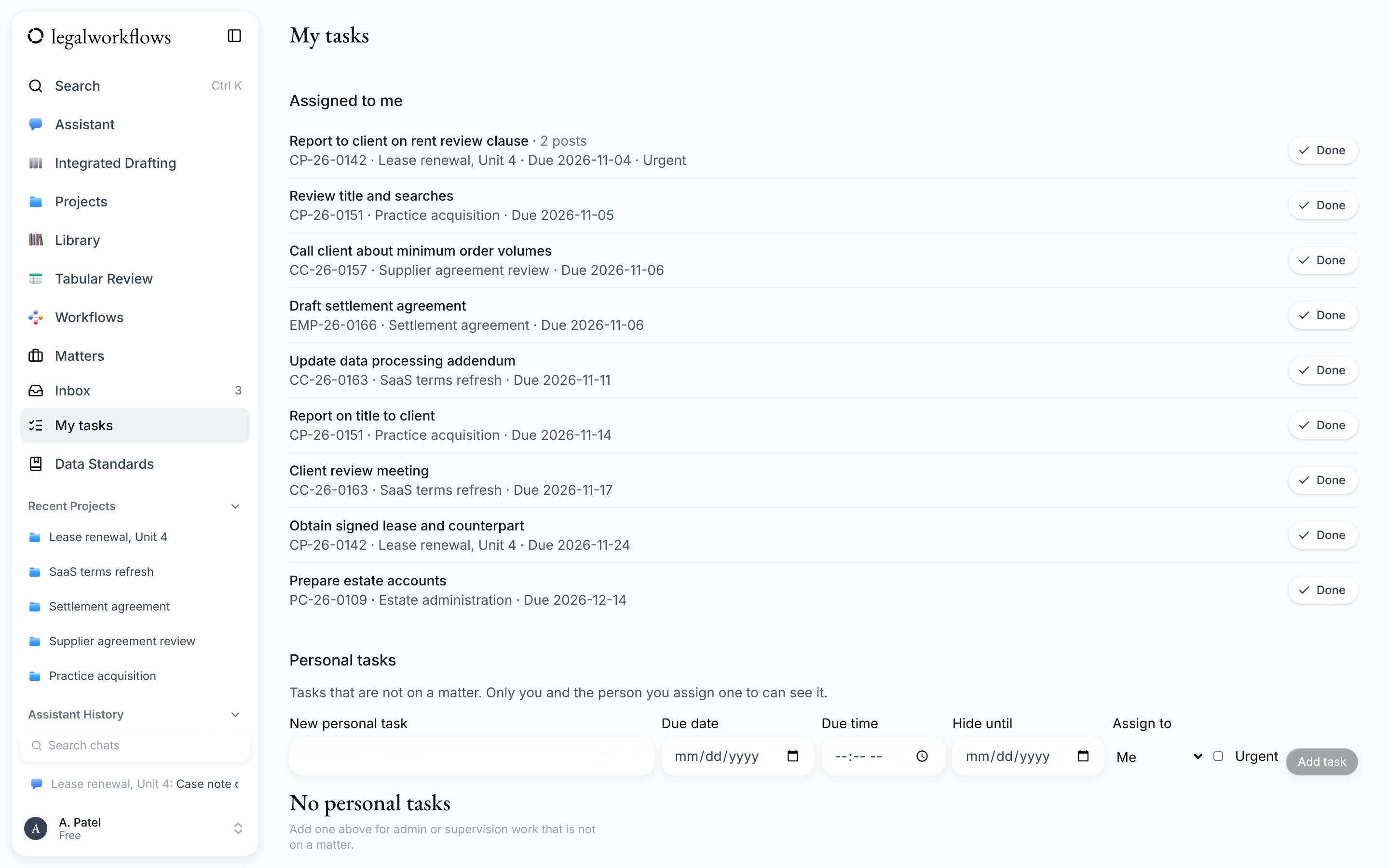
- Tasks with one or more assignees, a due date, an urgent marker and a date to hide them until. My tasks shows your own work, and personal tasks cover work that is not on a matter.
- Case types, sub-types and custom fields that your organisation sets up, so each matter records what your work needs.
- Matter references made from a pattern you choose, such as a case type code, the year and a running number. Names and other personal details are never part of a reference.
- A close checklist, and closing or reopening a matter with a date and a reason.
- Notifications in the app or by email, chosen for each kind of event, with a daily summary if you prefer.
- A private calendar link for your tasks with due dates, for Outlook, Google Calendar or Apple Calendar.
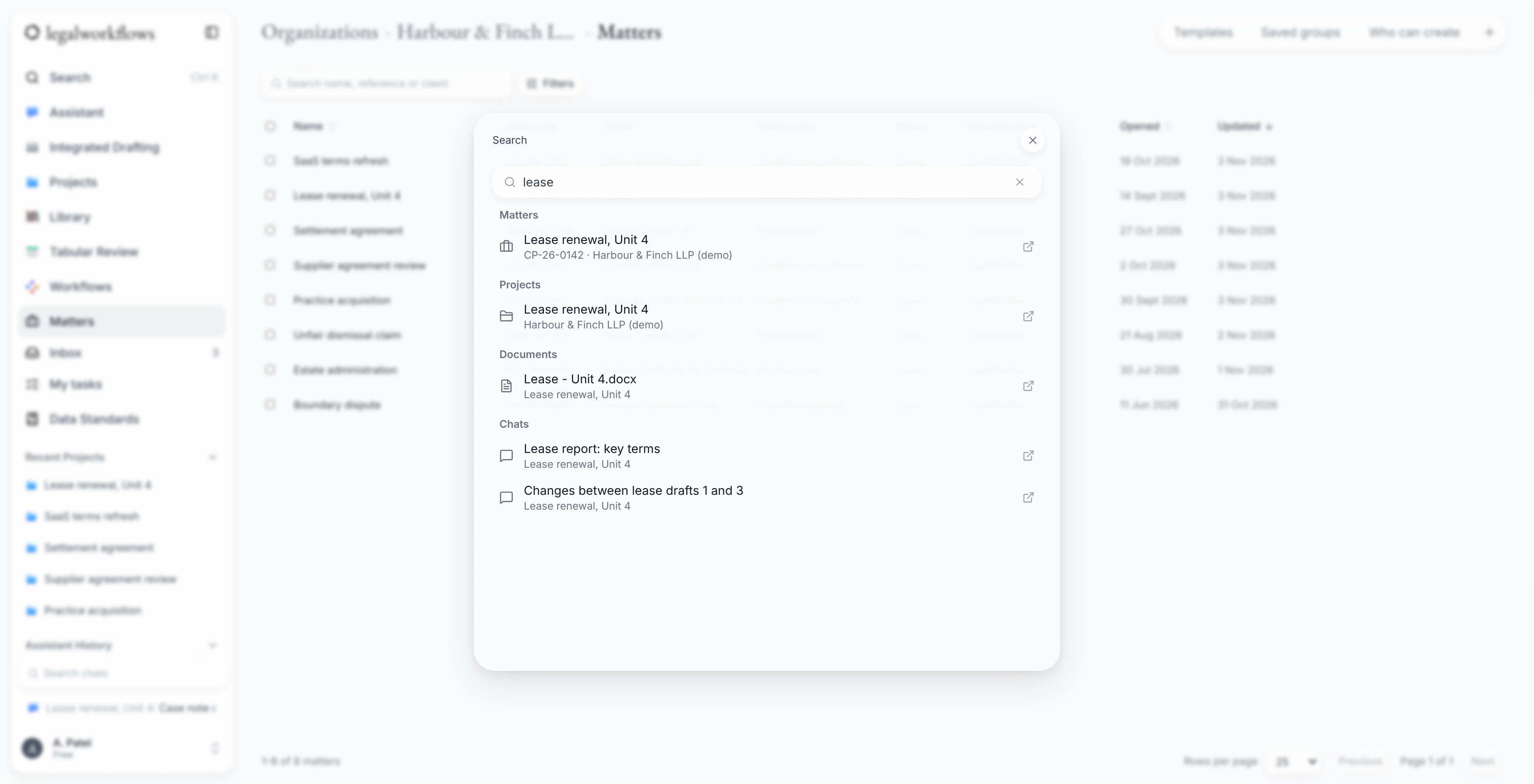
- Quick search across matters, projects, documents and chats. Press Ctrl+K, or Cmd+K on a Mac.
- Teams and offices. Your default team is filled in on each new matter you open.
Coming soon
- A client register: one record for each client, with contact details, duplicate checks and their matters.
Compliance checks
Coming soonThe checks a firm runs before and during a matter, recorded where the work happens. They are in development and are not available yet.
- Conflict checks
- Search the people and organisations your firm has dealt with for possible conflicts before a matter opens. A reviewer records the decision, and a new matter can wait until the check is cleared.
- Client due diligence
- Record due diligence for each client, including enhanced checks and source of funds. A record for a politically exposed person needs approval from someone other than the person who prepared it.
- Sanctions screening
- Check clients and the people who own or control them against the UK Sanctions List. A possible match is for your firm to review: screening supports your own checks and does not replace them.
AI assistant and workflows
An assistant that works with your documents and matters, and leaves the decisions to you.
- Ask the assistant about a document, or a set of documents, in plain English.
- Have it review a document, then accept or reject each edit it suggests.
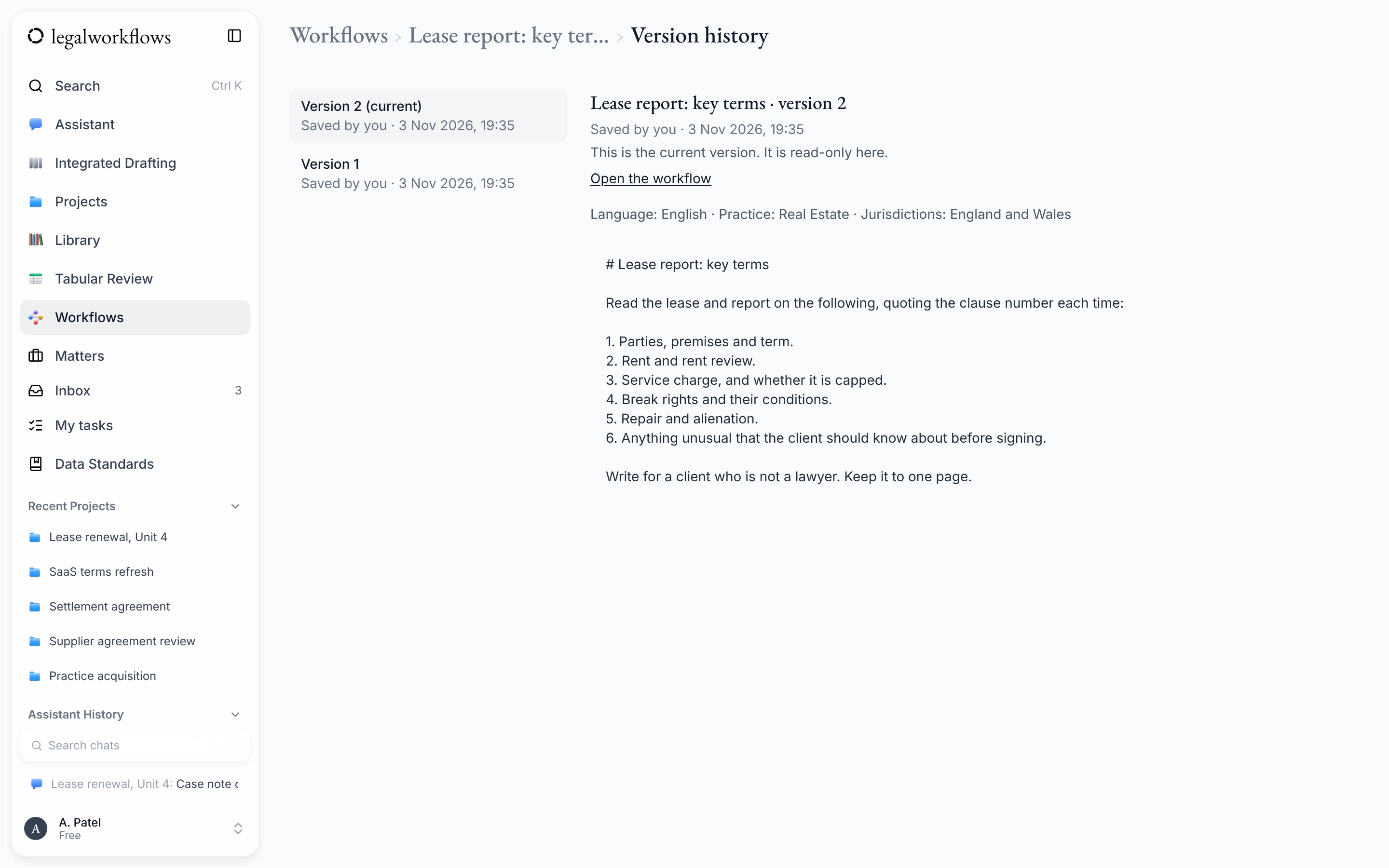
- Save instructions your team uses often as a workflow, and run them again on new documents.
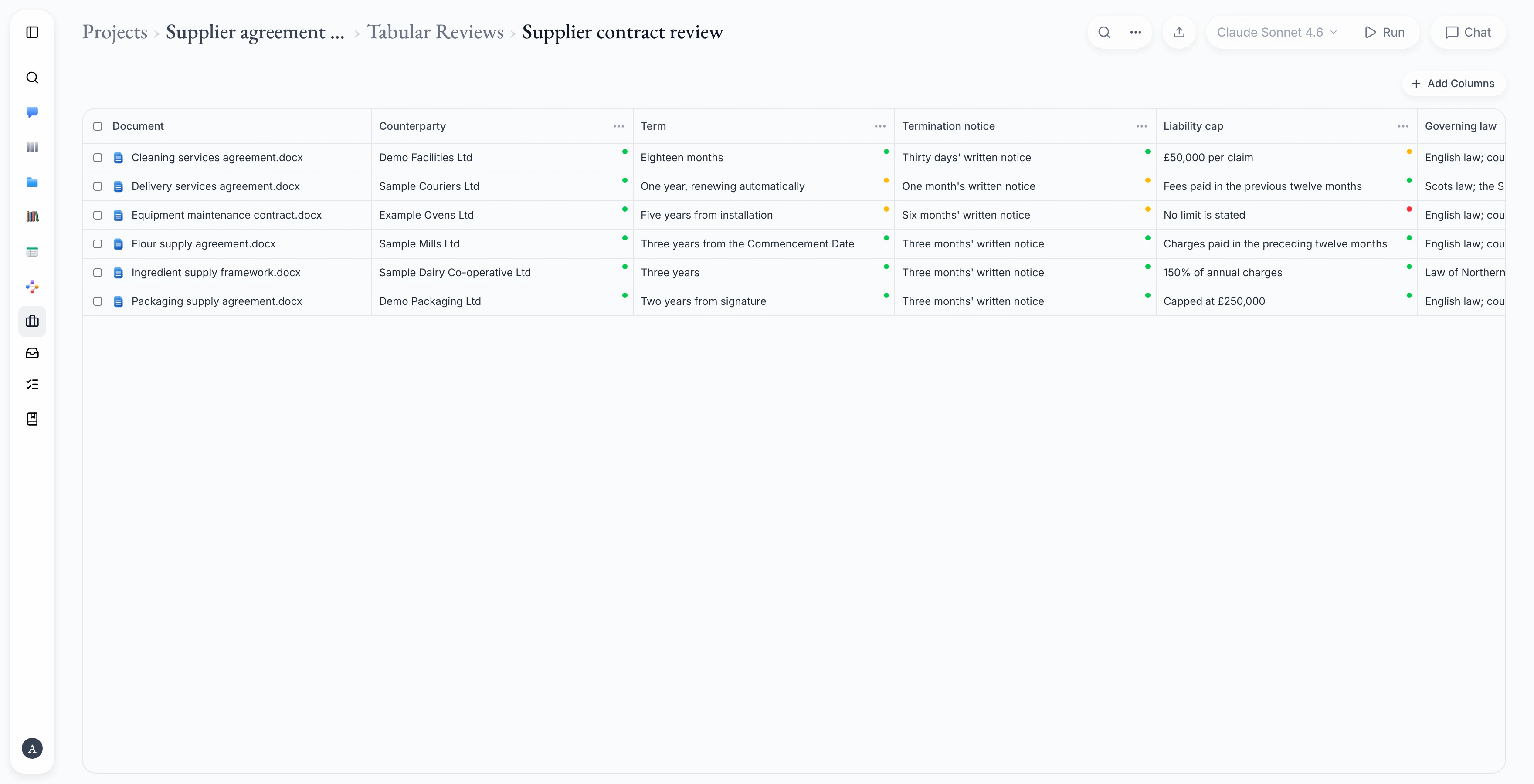
- Tabular review: ask the same questions of many documents and see the answers side by side in a table.
- Each saved workflow keeps its earlier versions, and each run on a matter is recorded, which helps with supervision and file reviews.
- On a matter, the assistant can draft a case note or an attendance note from what is on the matter: its tasks, the notes on them and its documents. Nothing is saved until you click Save.
- Send answers from a tabular review into a matter's fields. You check each value first, and each one keeps a link to where it came from.
Coming soon
- Letters drafted by the assistant from the details of a matter.
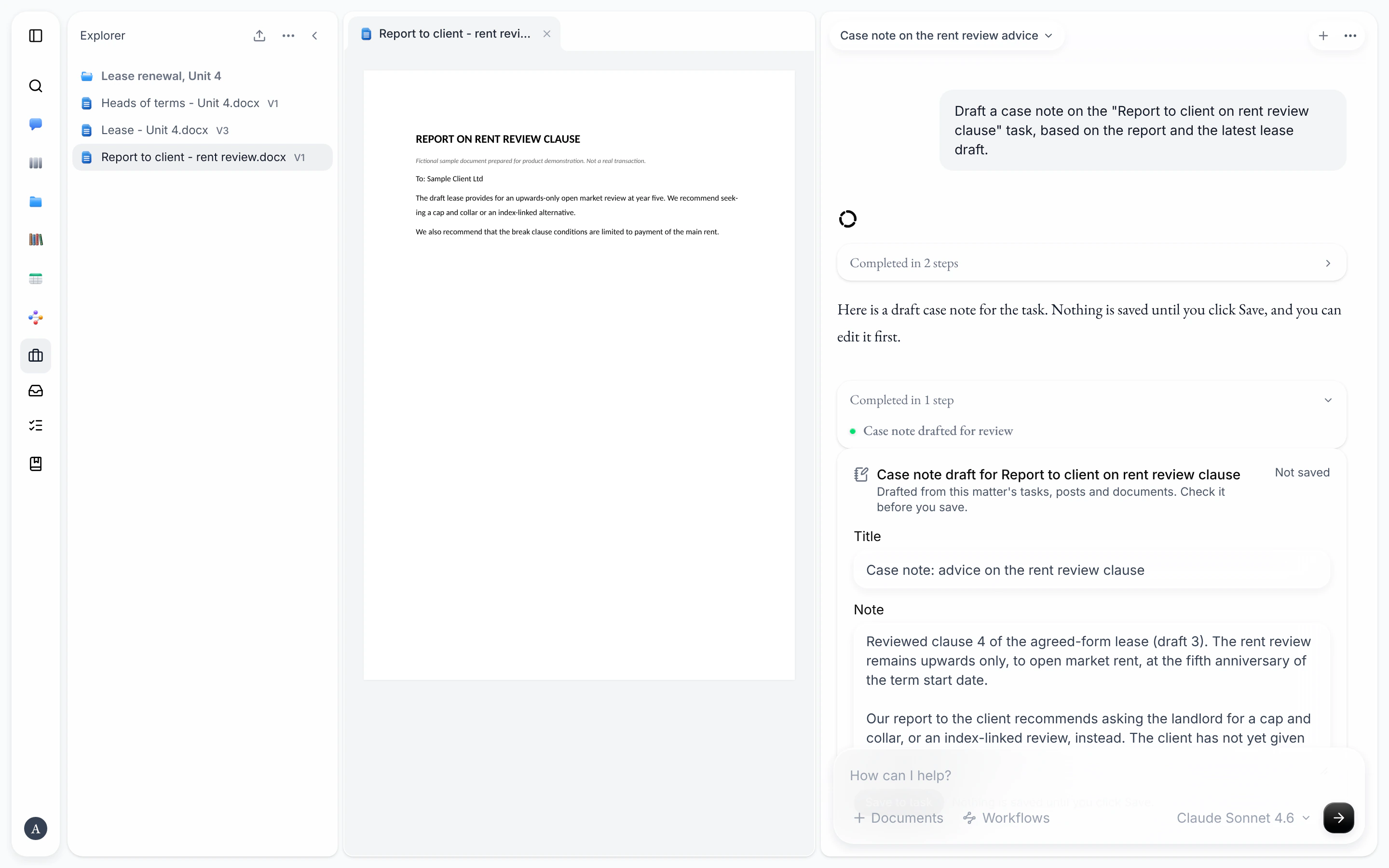
Word add-in
BetaWork on a document in Word with the assistant beside it, then file it to the matter.
- Chat about the open document and run your workflows from a task pane in Word.
- Review the assistant's suggested edits as tracked changes, and accept or reject them.
- Pick a matter and save the open document to it, as a new document or as a new version of one already there.
- Add letter template fields to a document as you write it.
- Works in Word on the desktop and in Word on the web.
The add-in is in beta, so some details may change.
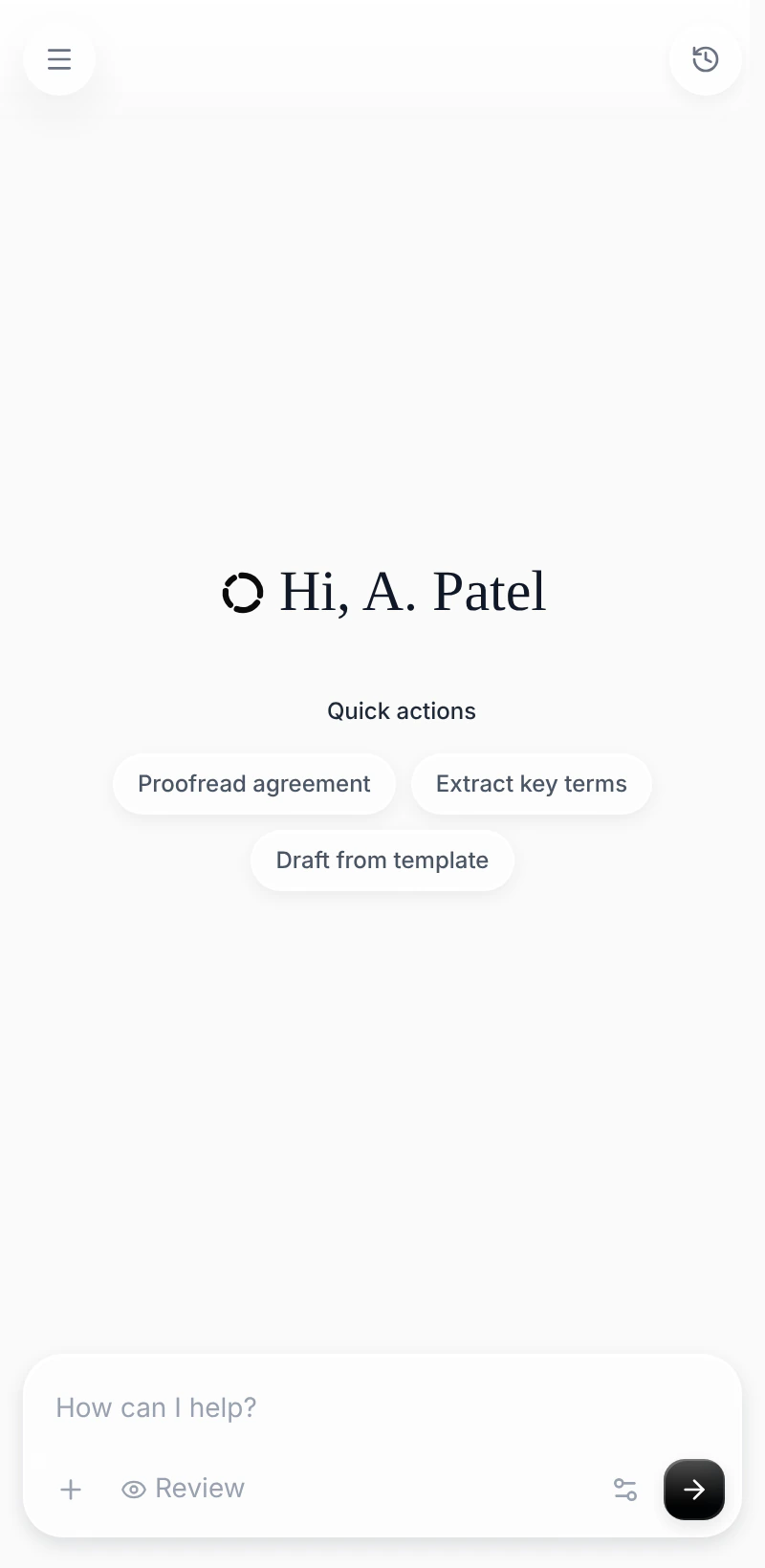
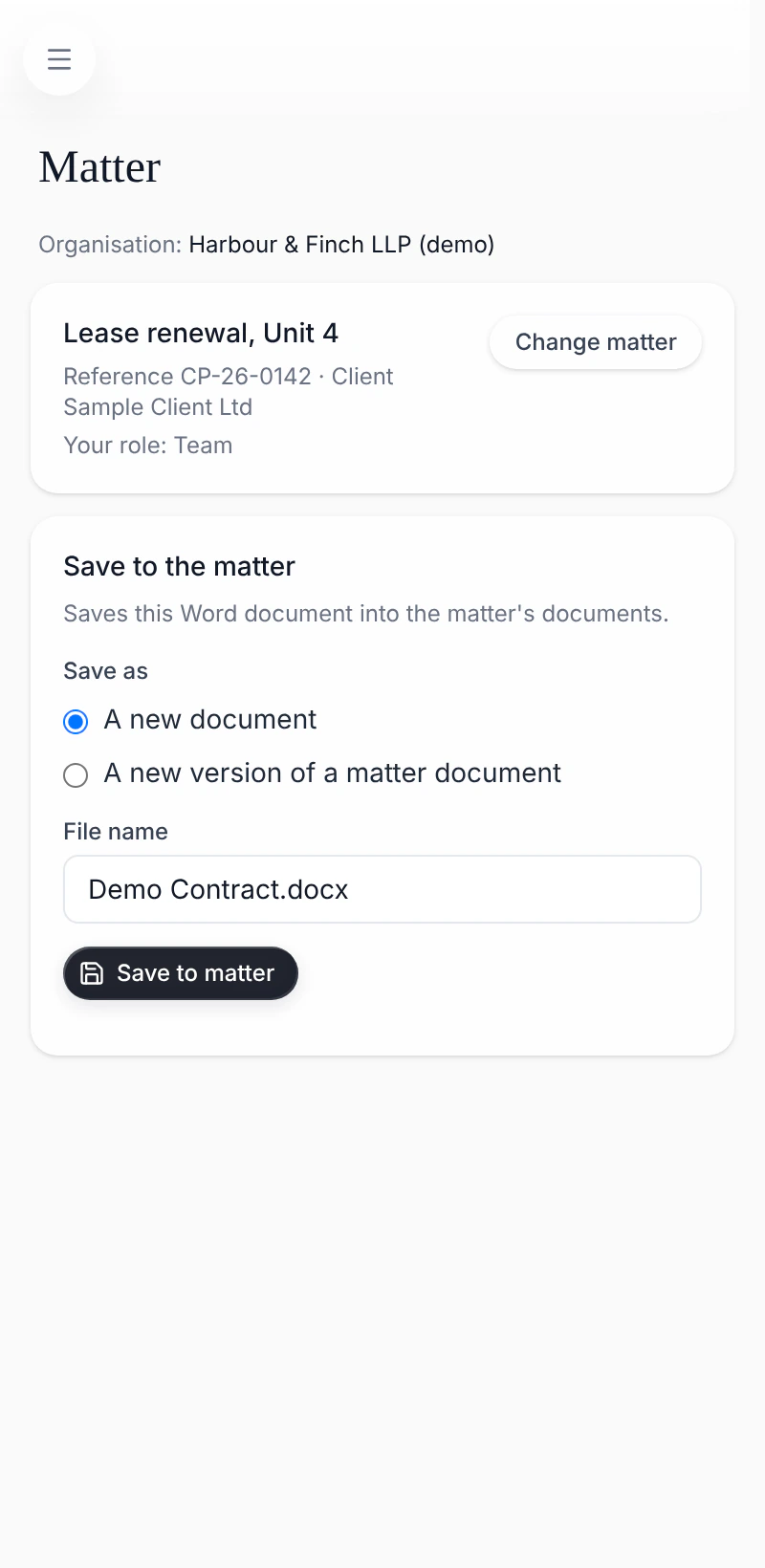
The add-in's task pane: the start screen, and saving to a matter. Shown with sample data.
Letters and templates
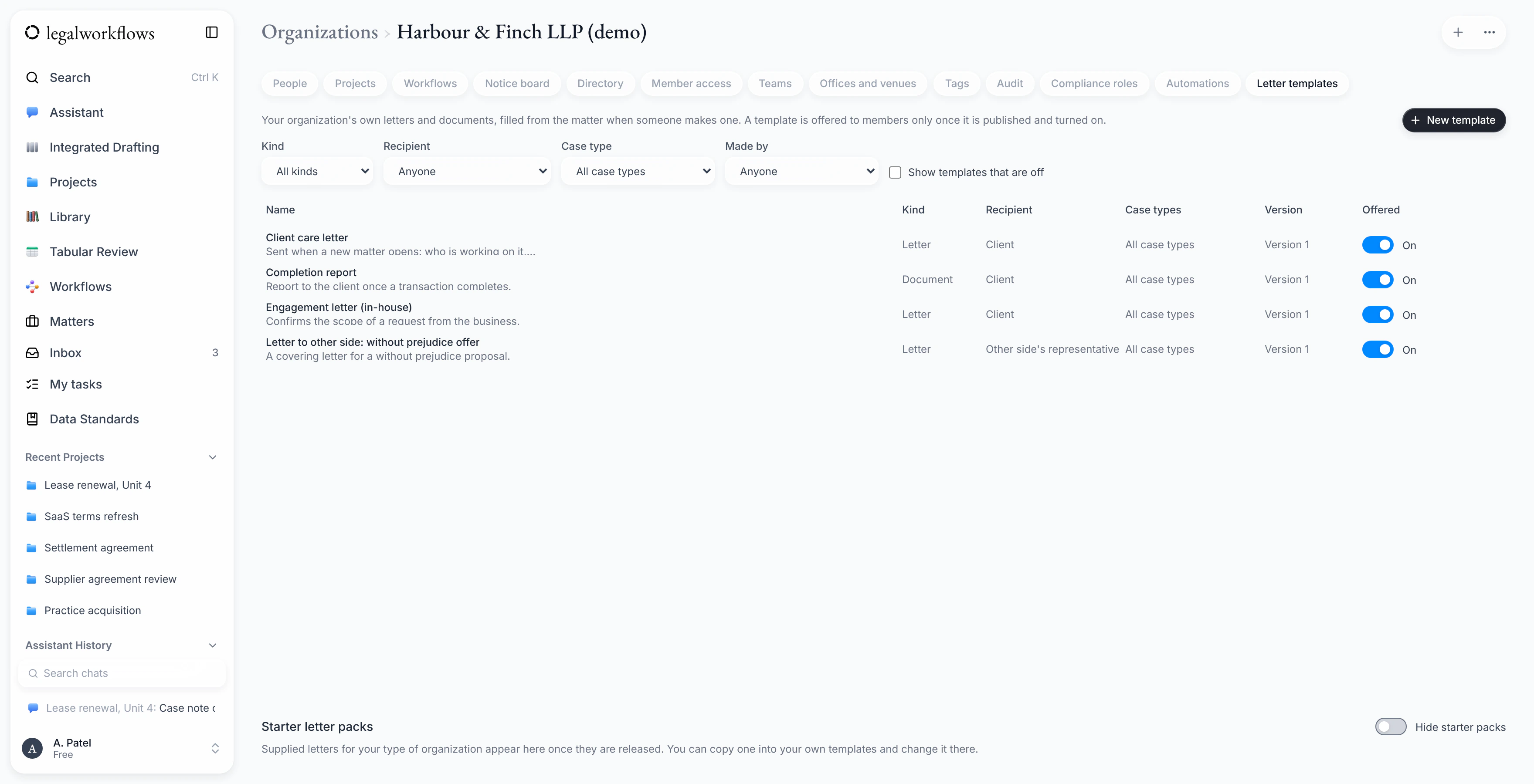
Keep your organisation's letters and standard documents as templates, written in Word.
- Templates are ordinary Word files. Fields such as the client's name, the matter reference or today's date are marked with Word content controls.
- When a template is uploaded, every field is checked. Anything that isn't recognised is named, so it can be fixed before anyone uses the template.
- Admins and template editors can preview a template, keep its versions, and turn it on or off.
- Each person can keep their own signature, working hours and direct line in their settings, ready for letters. Nobody else can use your signature.
Coming soon
- Creating a letter on a matter from a template, with the fields filled in.
- A register of the letters sent on each matter.
Where your data is held
Files and account data are stored in the UK, in London.
The AI features send the text they need to the provider that runs the language model. Some of these providers process data outside the UK.
Want to try it when it opens?
Join the waiting list and we'll email you when Legal Workflows opens to new firms and teams.
Join the waiting list