One workspace for your legal practice
Matters, compliance, documents and AI in one place. Legal Workflows is built for small and mid-sized firms, so your team works from one system instead of several.
We're not open to new organisations yet. Join the list and we'll email you when we are.
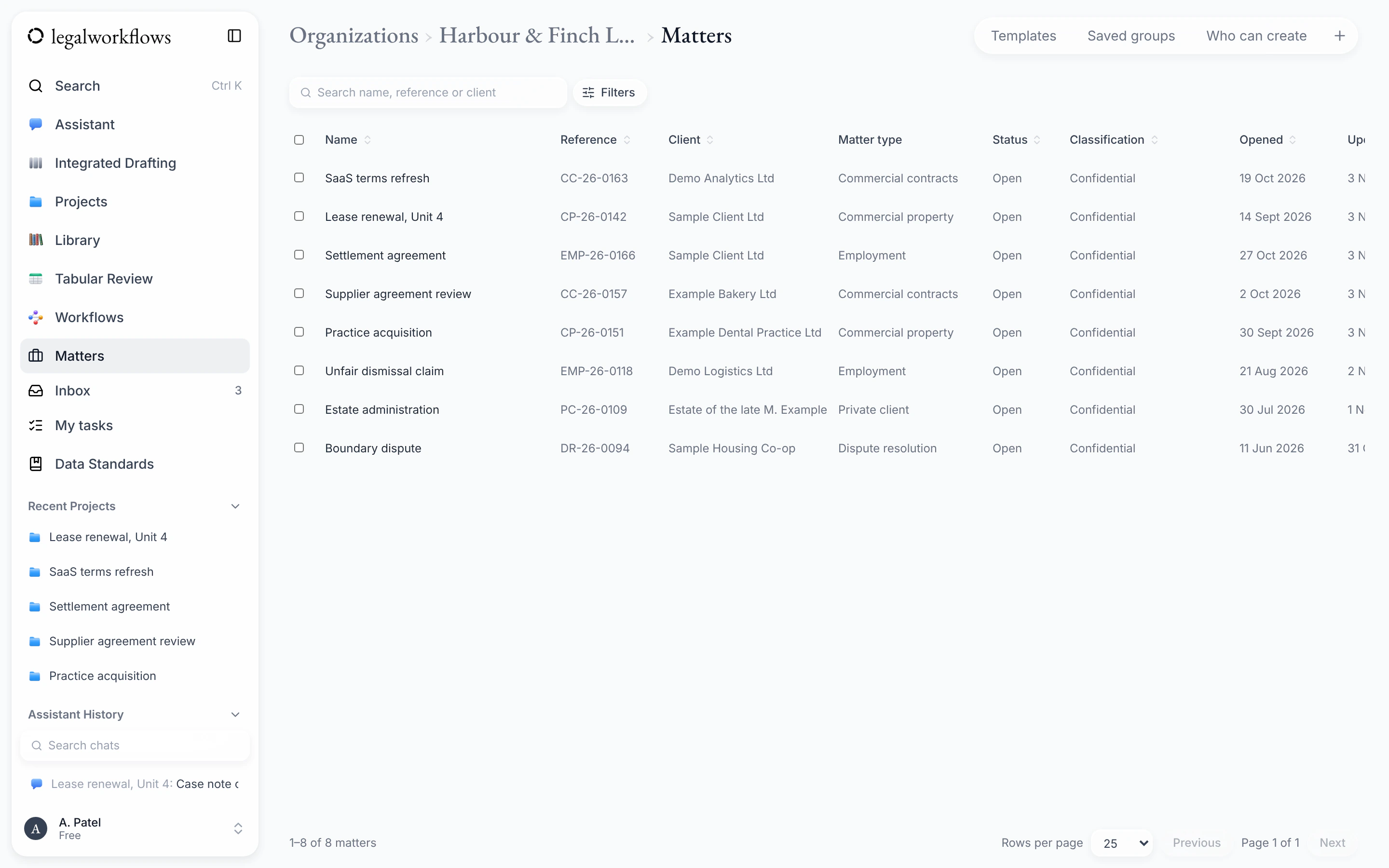
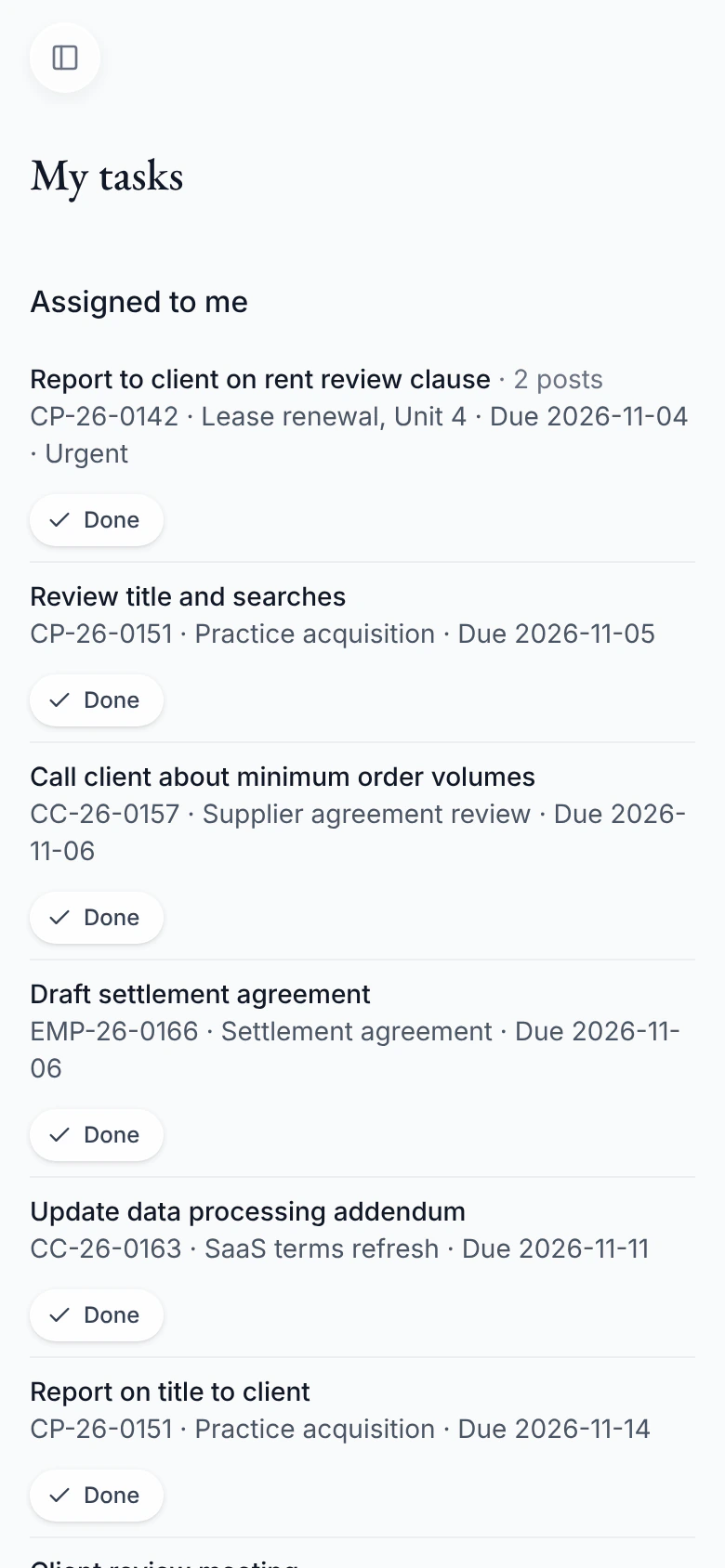
Shown with sample data: the firm, people and matters are made up.
What's in the workspace
Everything a matter needs, in one place
Each part works with the others, so information is entered once and found where you expect it.
- More about matters
MattersAvailable
Matters and clients
Open a matter, give tasks an owner and a due date, and see who is doing what. The documents, notes and history stay with the matter.
- More about compliance checks
ComplianceComing soon
Compliance checks
Conflict checks, client due diligence and sanctions screening, recorded where the matter is.
- More about the assistant
AssistantAvailable
AI assistant and workflows
Ask about your documents, review them, and run the same questions across many at once. The assistant drafts; you decide what is kept.
- More about the Word add-in
WordBeta
Word add-in
Use the assistant beside your document in Word, then save the document straight to its matter.
- More about letters and templates
TemplatesAvailable
Letters and templates
Keep your organisation's templates in one place, written in Word, with fields for the details of a matter.
- Join the waiting list
Waiting list
Want a say in what comes next?
Join the waiting list and tell us about your firm or team. It helps us decide what to build first.
Why one workspace
Less time moving information between systems
One record for each matter
Tasks, documents, notes and history sit on the matter. Everyone who works on it sees the same picture.
Fewer copies of everything
Documents are saved to the matter with their versions, instead of living in inboxes and shared drives.
AI that works on the file
The assistant works with the documents and matter in front of you. A person checks its drafts before anything is saved.
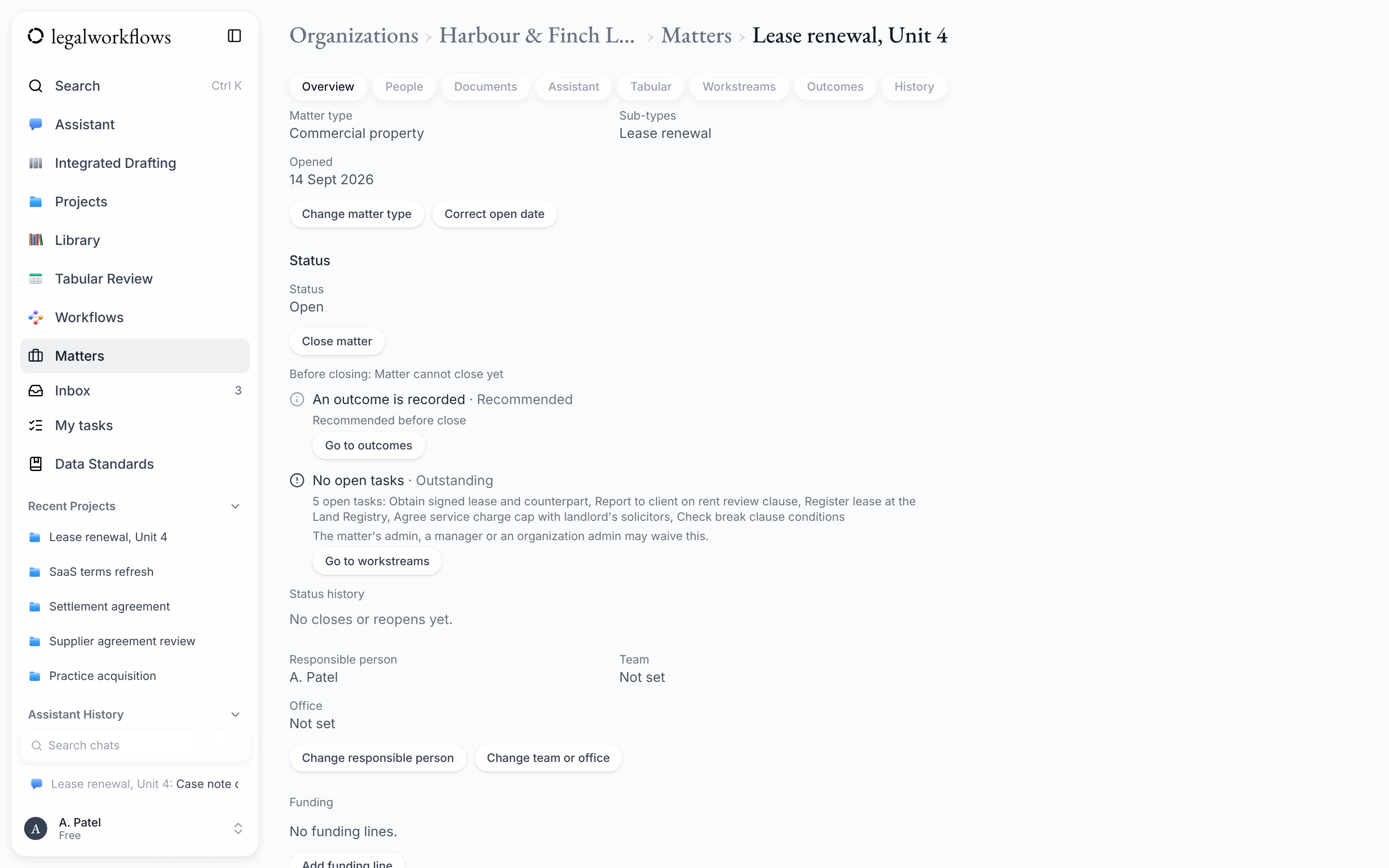
The matter in one place
Each matter has its own overview, people, documents, assistant, workstreams and history.
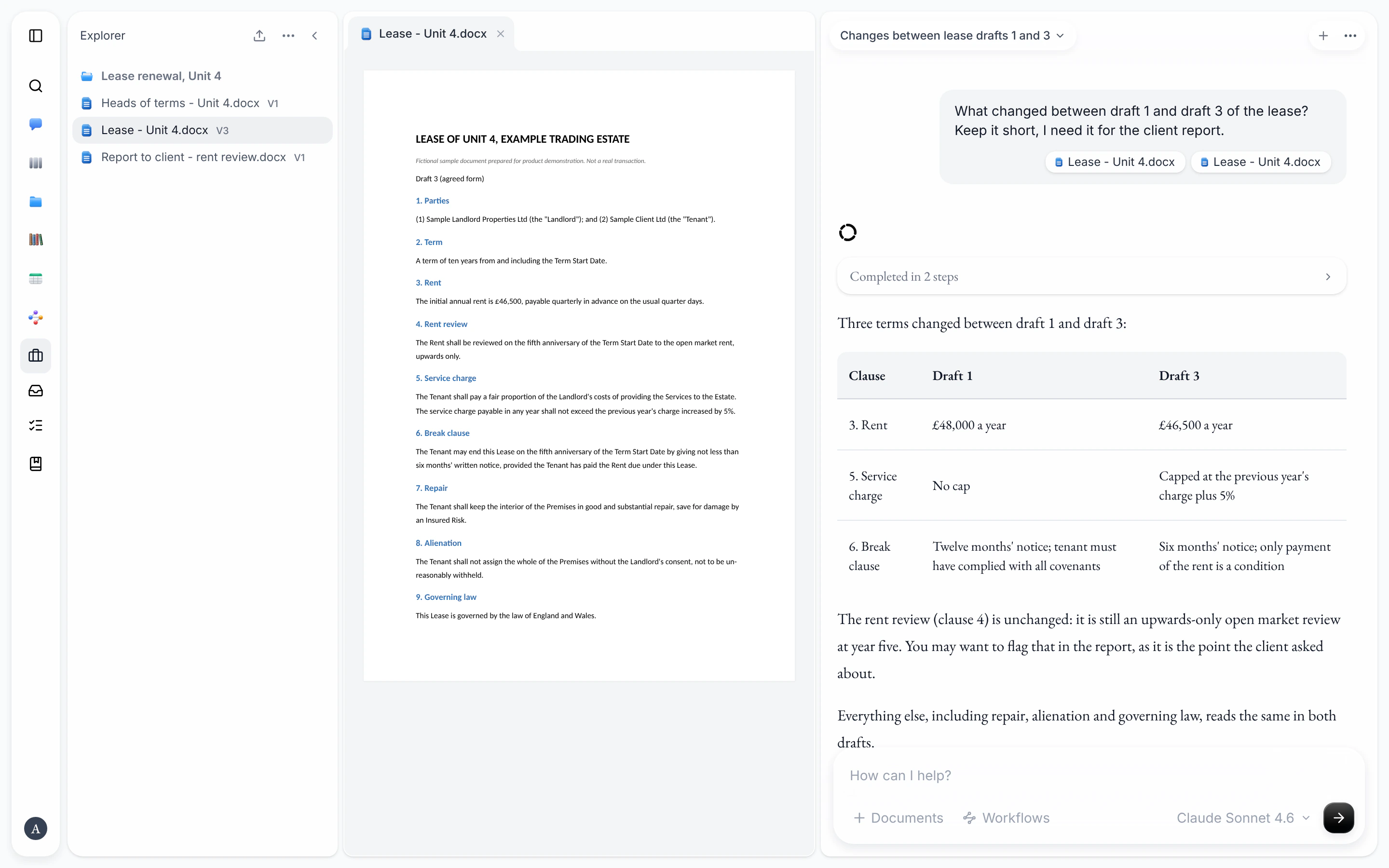
The assistant beside the document
Ask about the documents on a matter and read the answer next to the document itself.
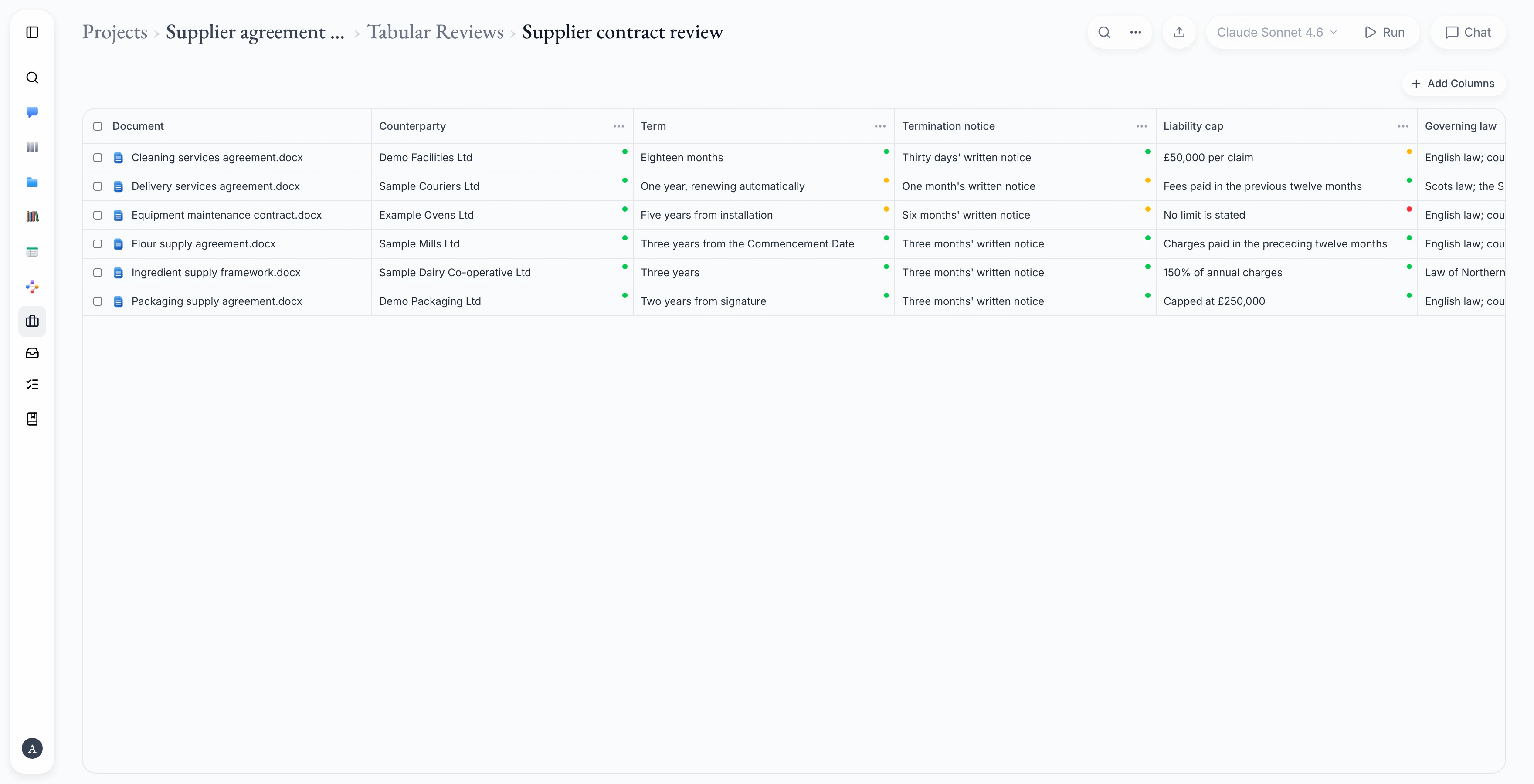
Many documents, one table
Ask the same questions of a set of documents and compare the answers side by side.
Screens shown with sample data.
Who it's for
Built for smaller teams
Security basics
Sensible protections from the start
Two-factor sign-in
Use an authenticator app as a second step. An organisation can make it compulsory for its members.
Stored in the UK
Files and account data are stored in London. AI providers may process text elsewhere; the product page explains.
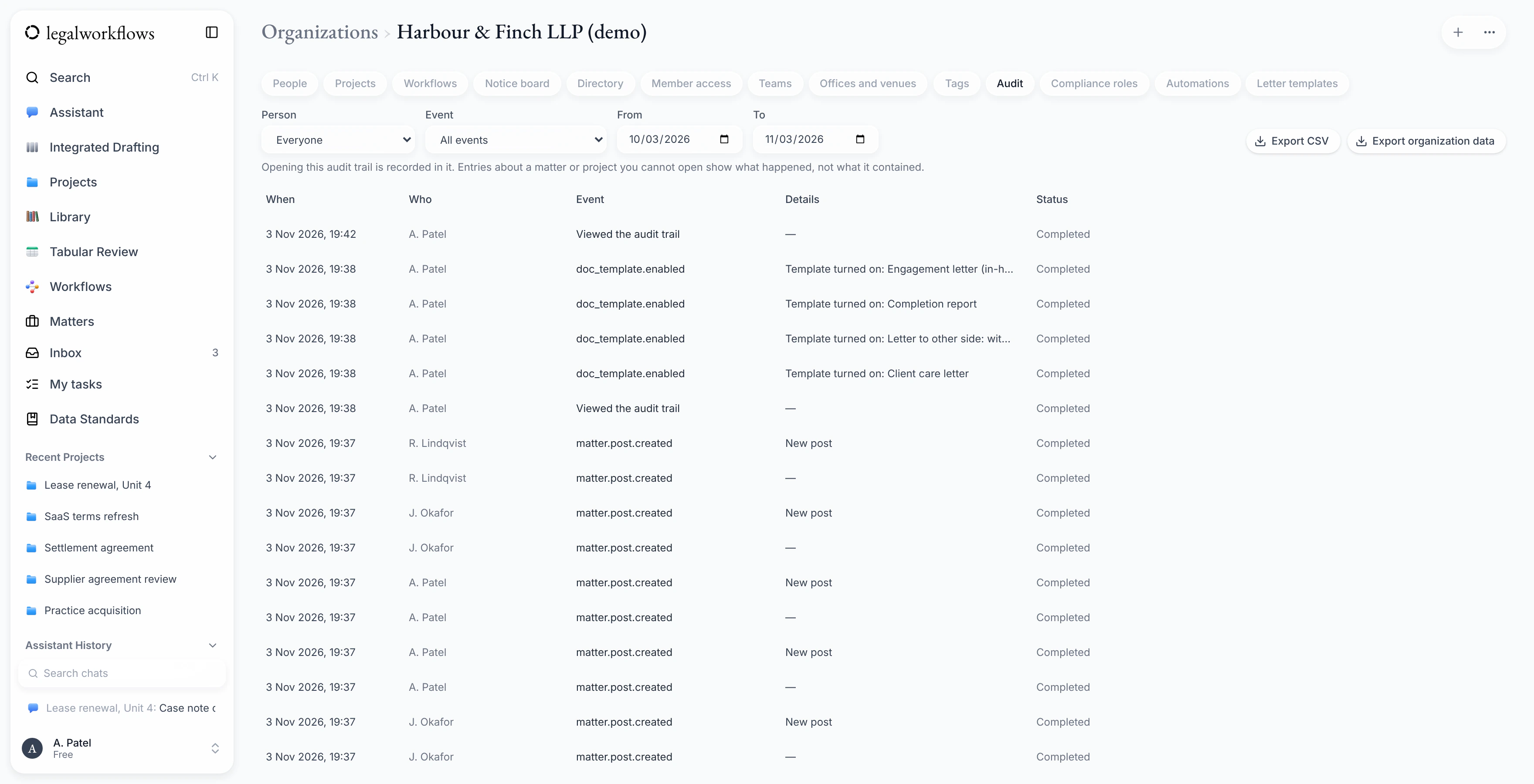
An audit trail
Organisation admins can review activity across the organisation and export it as a CSV file.
Checkable exports
Export a project with an integrity manifest, so the person who receives it can check each file has not changed.
Waiting list
Join the waiting list
Tell us a little about your organisation. We'll email you when Legal Workflows opens to new firms and teams.
We only use your details for the waiting list. You can ask us to remove them at any time.