For law firms
One system for the whole matter
Smaller firms often run a matter across several tools: one for the file, one for documents, spreadsheets for checks and a separate AI tool. Legal Workflows puts that work in one workspace, set up for the way your firm works.
What it helps with
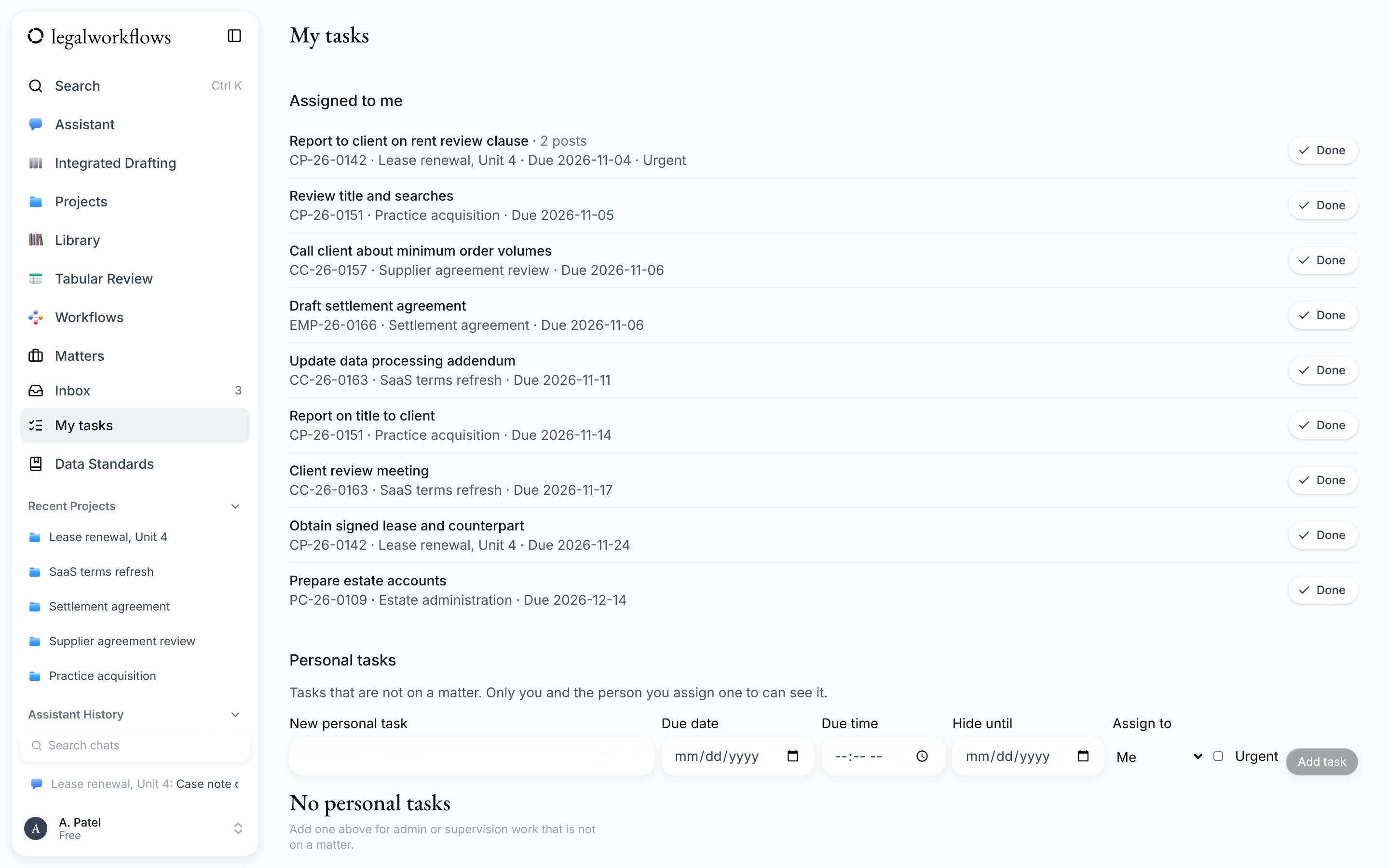
Know who is doing what
Give every task an owner and a due date. My tasks shows each person their own work across matters, and a private calendar link puts due dates in Outlook, Google Calendar or Apple Calendar.
See the details: Know who is doing what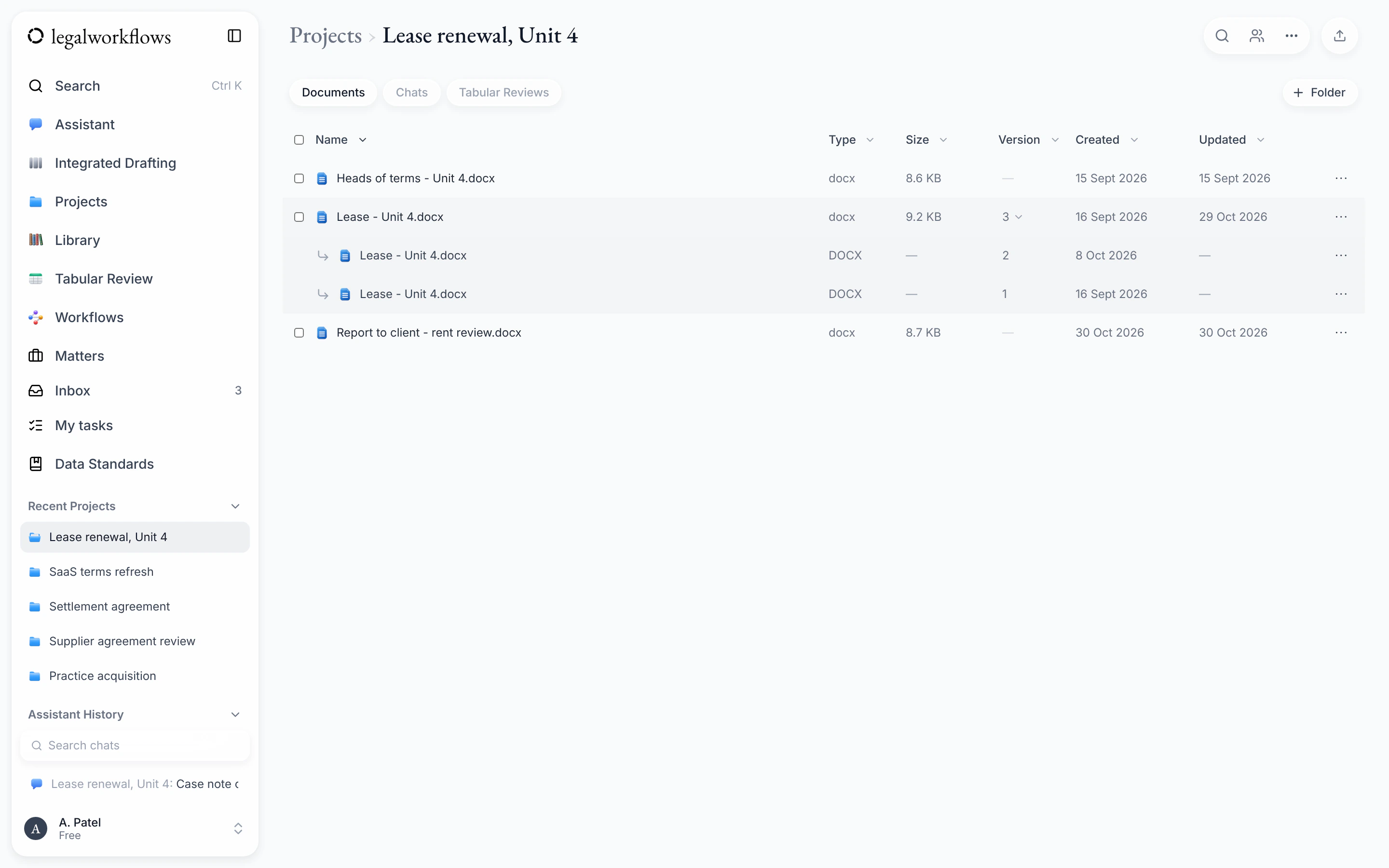
Keep the file together
Documents, notes and history stay on the matter. Fee earners working in Word can save a document straight to the matter as a new version.
See the details: Keep the file together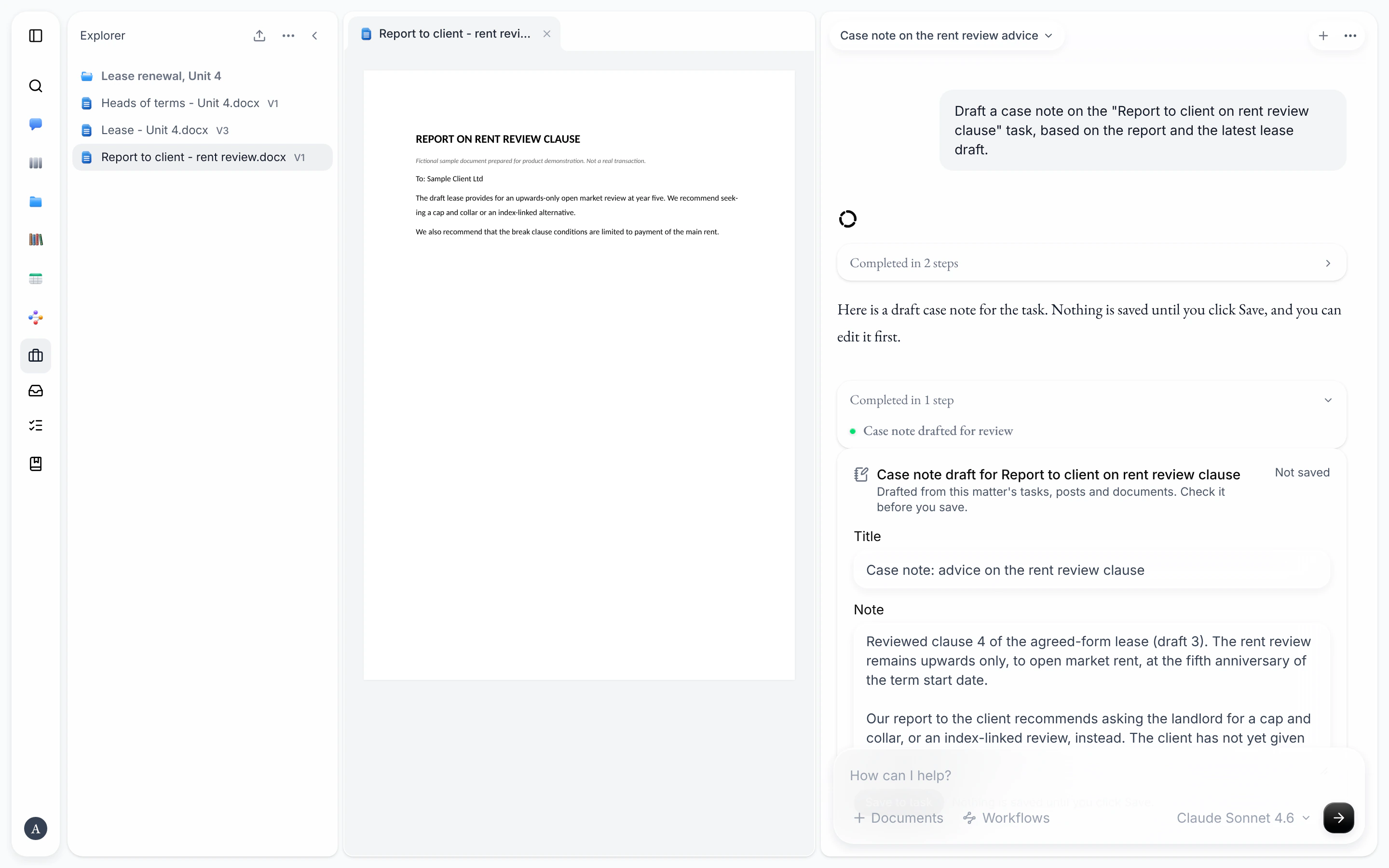
Use AI on the file, with a person in charge
The assistant drafts case and attendance notes from the matter, and nothing is saved until someone clicks Save. Workflow runs on a matter are recorded, which helps with supervision.
See the details: Use AI on the file, with a person in charge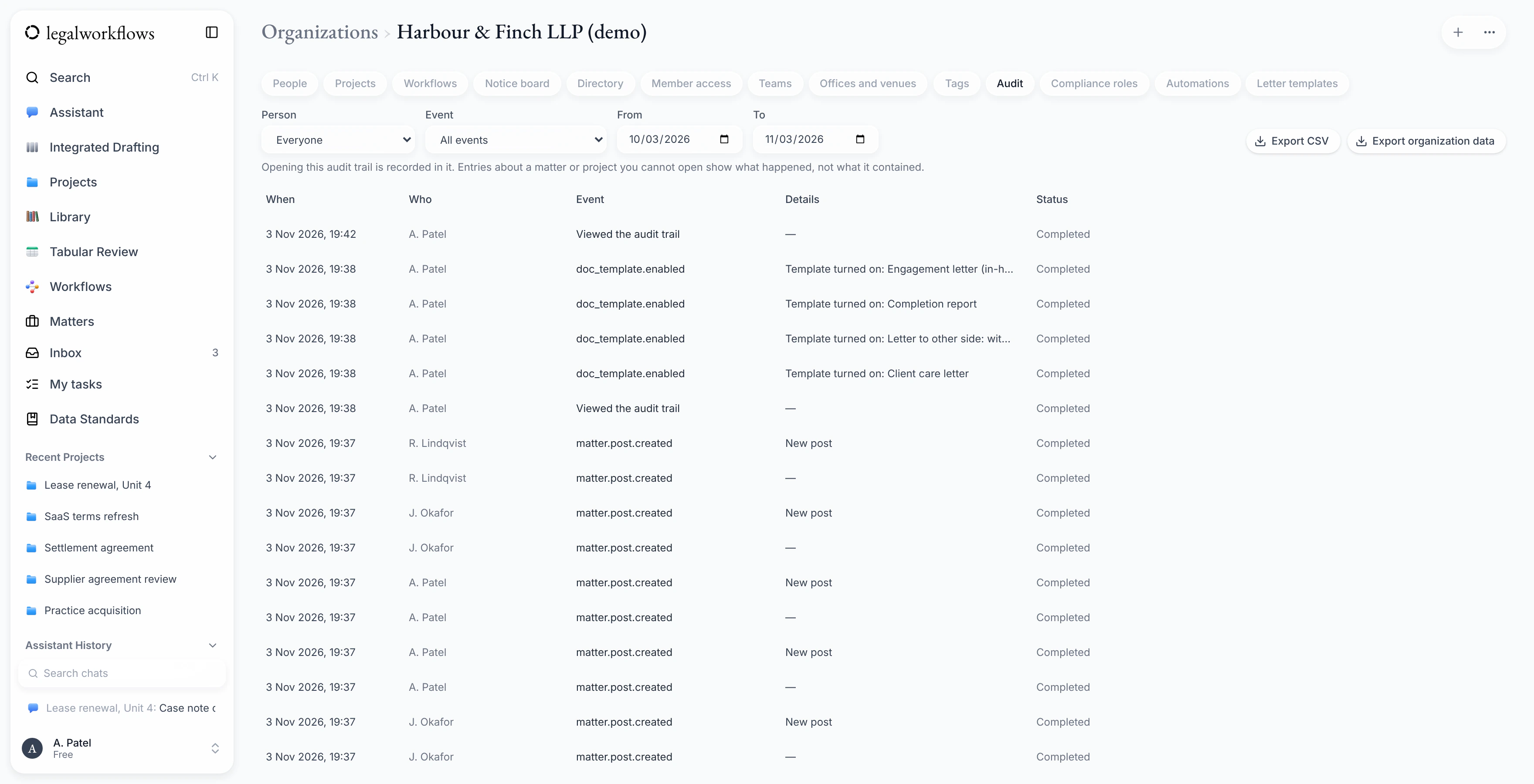
Oversight for partners and managers
Admins can see an audit trail of activity across the firm and export it. They can require two-factor sign-in for every member, and suspend or restore a member's access.
See the details: Oversight for partners and managersScreens shown with sample data.
Compliance checks
Coming soonWe are building the checks firms run before taking on a client, so they sit on the matter rather than in a separate spreadsheet. They are not available yet.
Conflict checks
Search past clients and other parties before a matter opens, with the reviewer's decision recorded.
Client due diligence
Record due diligence, enhanced checks and source of funds, with sign-off by a second person where it is needed.
Sanctions screening
Check clients against the UK Sanctions List.
These checks support your firm's own procedures. They do not replace the judgement of your compliance officers, and your firm stays responsible for its regulatory duties.
Set up for your practice
An admin configures the workspace once, and every new matter follows it.
- Your own case types, sub-types and custom fields, so each matter records what your practice needs.
- Matter references in your firm's format.
- A close checklist, so a matter is closed the same way every time.
- Teams and offices.
- Your letter and document templates, kept in Word.
Run your firm from one workspace
Join the waiting list and we'll email you when Legal Workflows opens to new firms.
Join the waiting list