For in-house legal teams
Keep the legal team's work in one place
Requests arrive by email, chat and in meetings. Contracts sit in shared drives. Legal Workflows gives an in-house team one workspace to track each request, keep the documents with it, and use AI on them.
How it helps an in-house team
Every request in one list
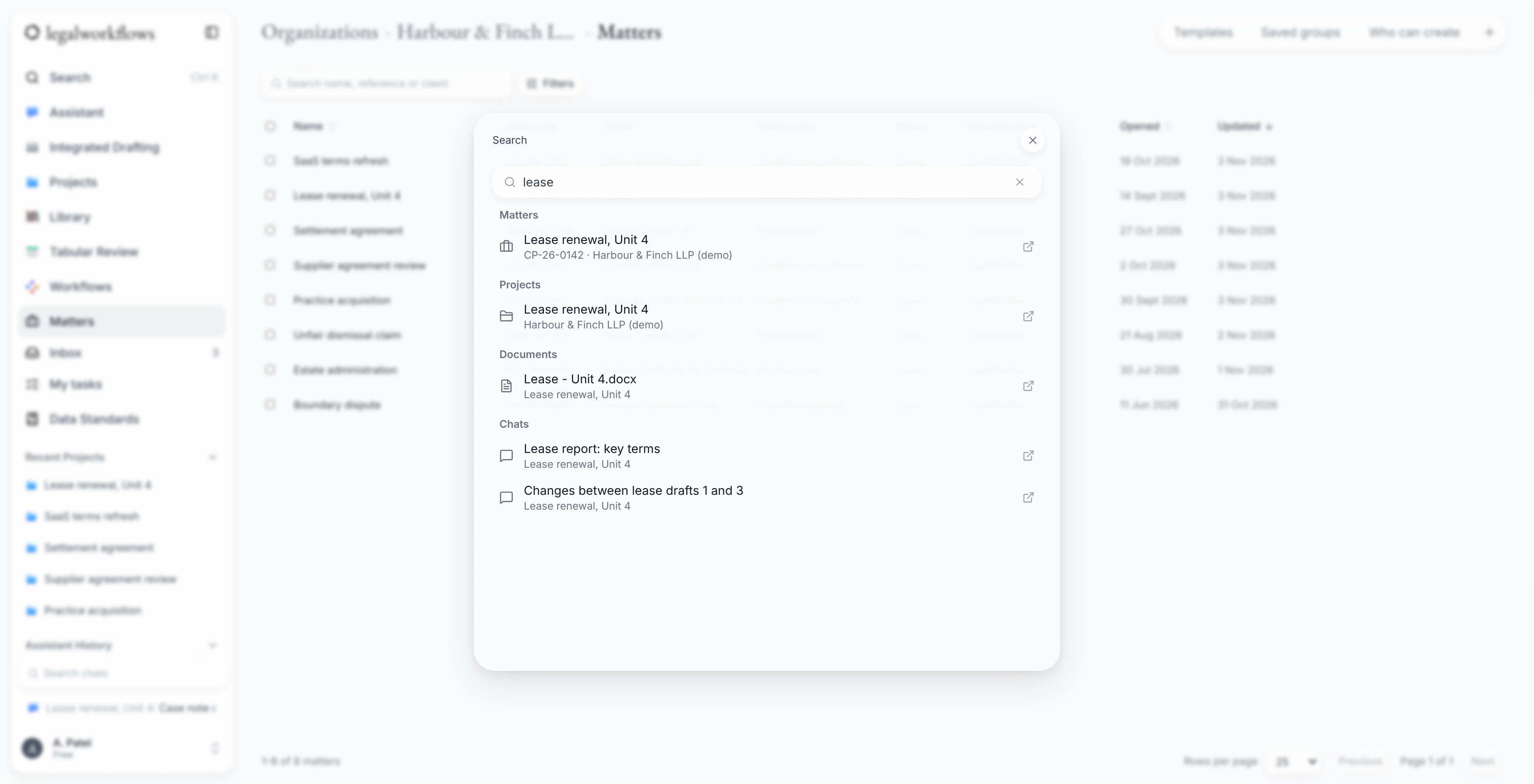
Treat each request from the business as a matter, with tasks, owners and due dates. Search, filter and sort the list, or find anything quickly with Ctrl+K.
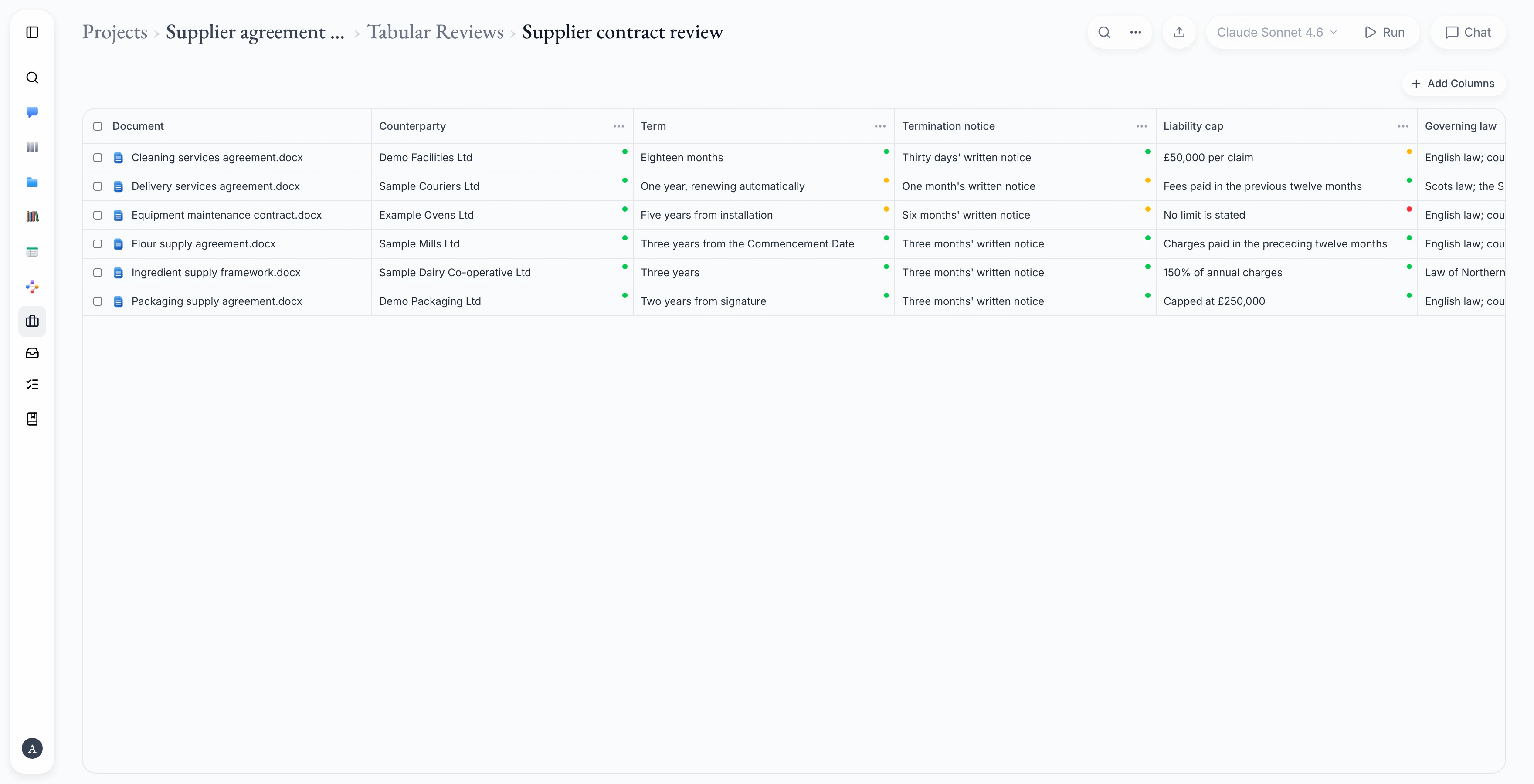
Review many contracts at once
Ask the same questions of a set of contracts, such as the notice period or the governing law, and see the answers side by side in a table.
Draft and edit in Word
Use the assistant in a Word task pane, review its suggested edits as tracked changes, and save the document to the matter.
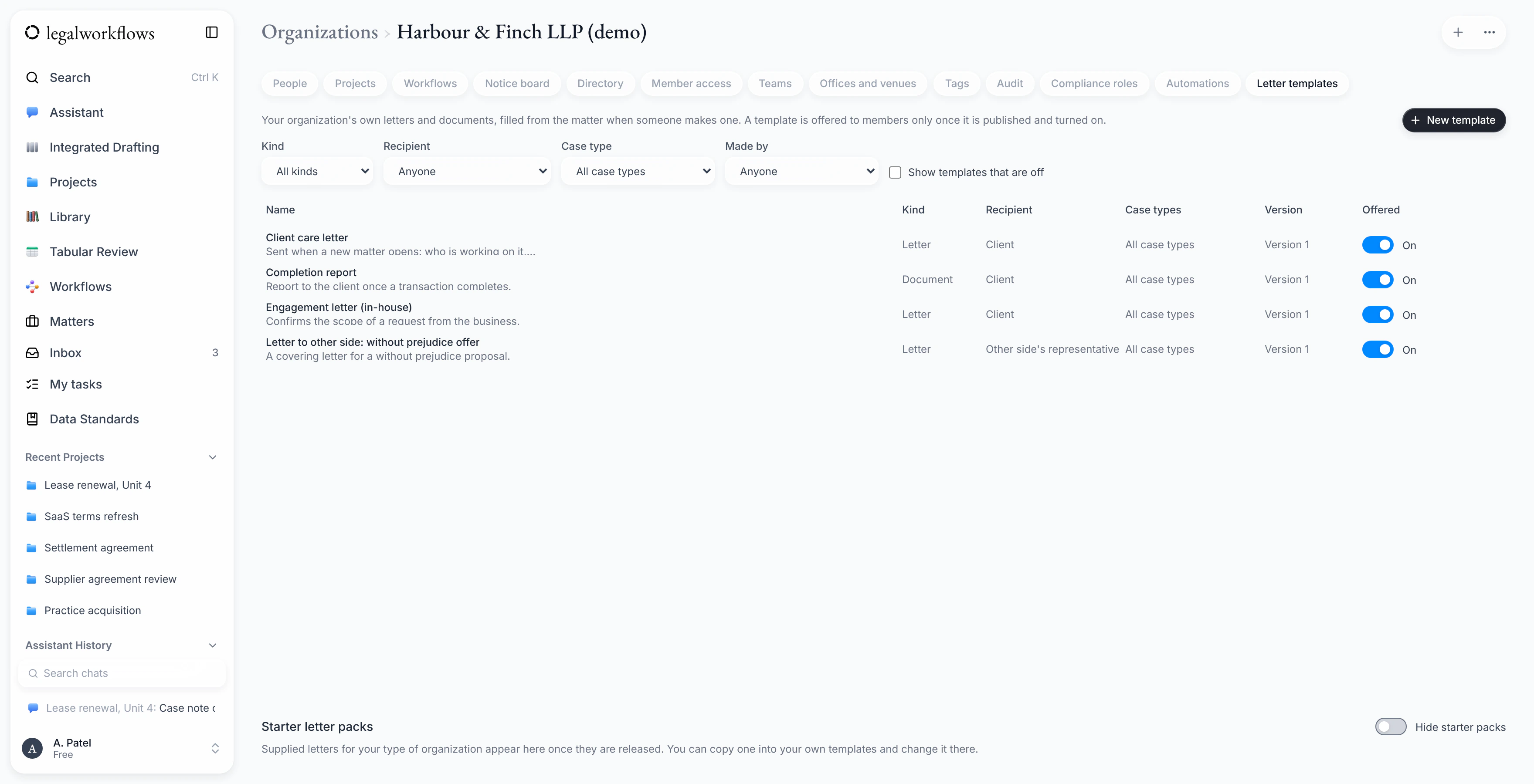
Standard documents as templates
Keep your team's letters and standard documents as Word templates, with fields for the details of a matter.
Control over access
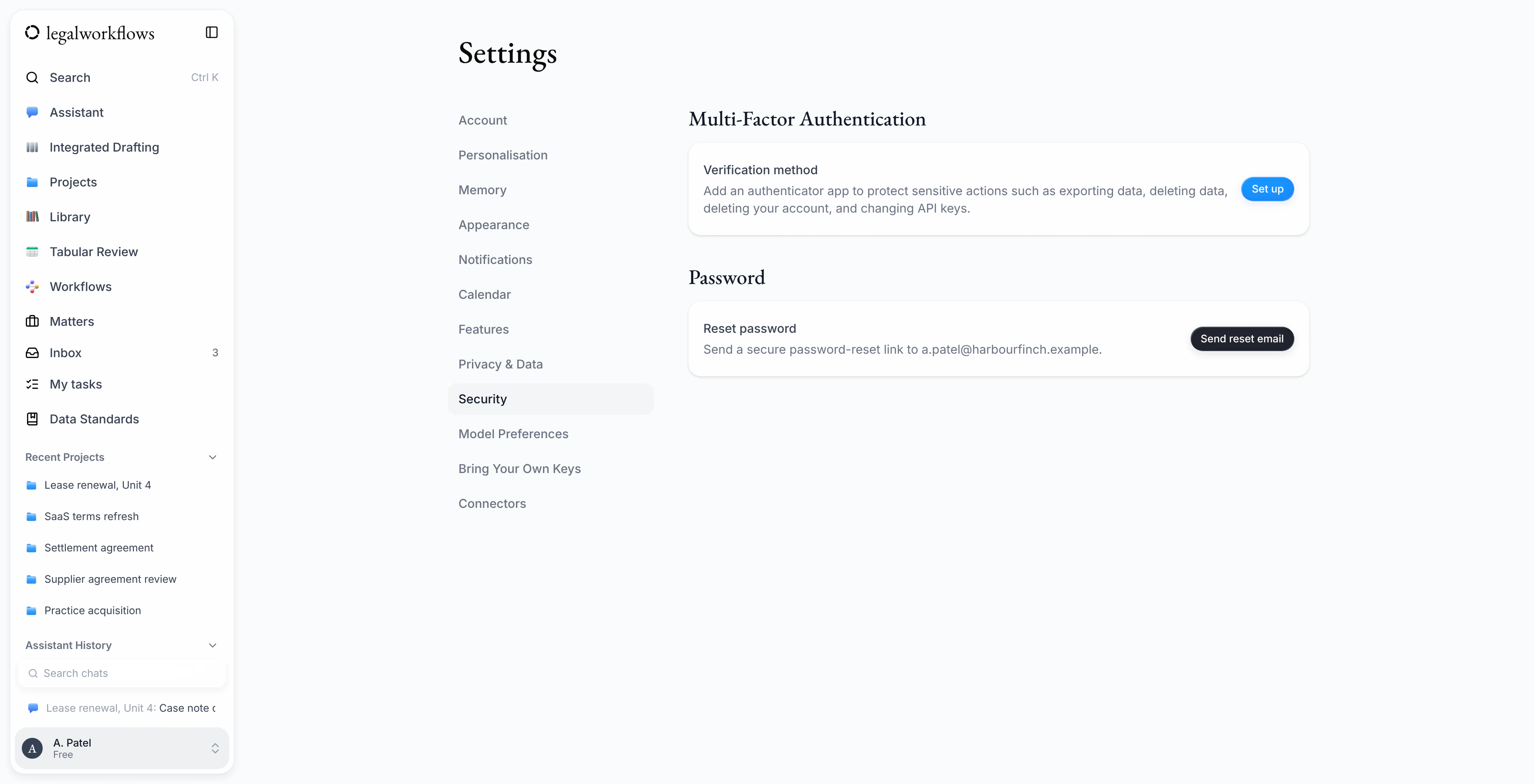
Require two-factor sign-in for the whole team, review the audit trail, and export a project with an integrity manifest.
See the full list on the product page.
What your team would see
Real screens from the product, filled in with made-up data.
Tell us how your team works
In-house teams vary a lot. When you join the waiting list, your role and team size help us understand what teams like yours need from the product.
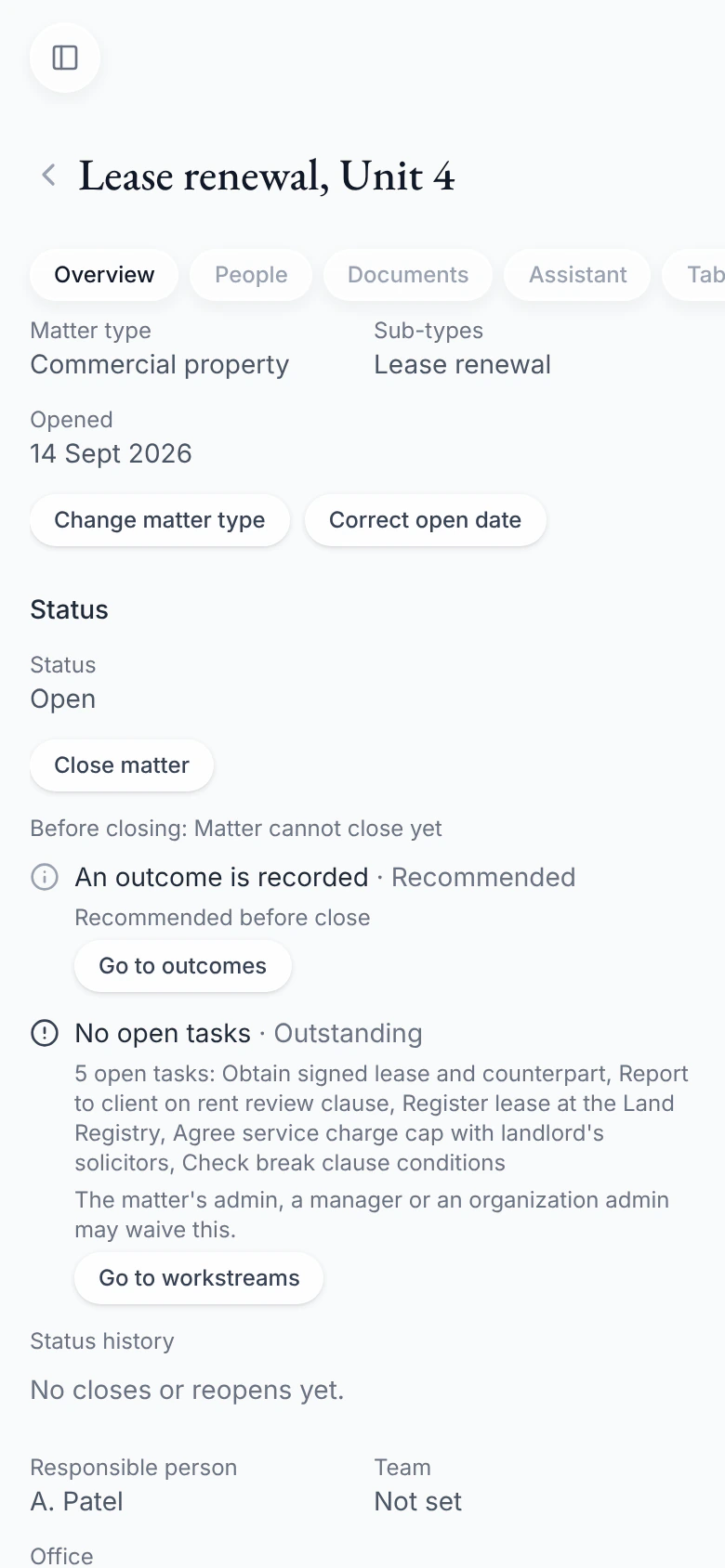
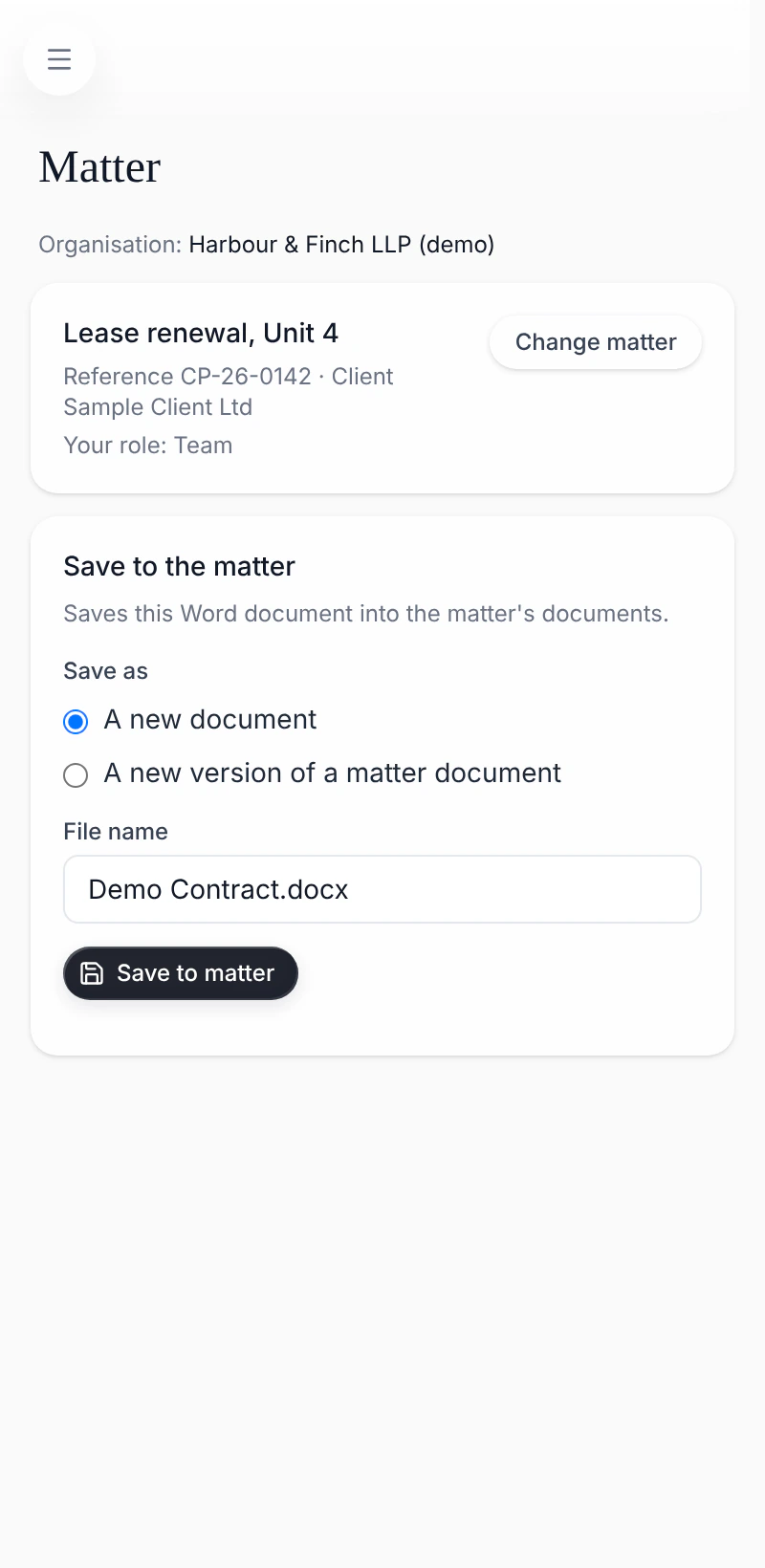
A matter on a phone, and the Word add-in saving a document to a matter. Shown with sample data.
Bring your team's work together
Join the waiting list and we'll email you when Legal Workflows opens to new teams.
Join the waiting list